Truncate text with Tailwind's line-clamp utility
8/18/2025
#tailwind#css#styling#design
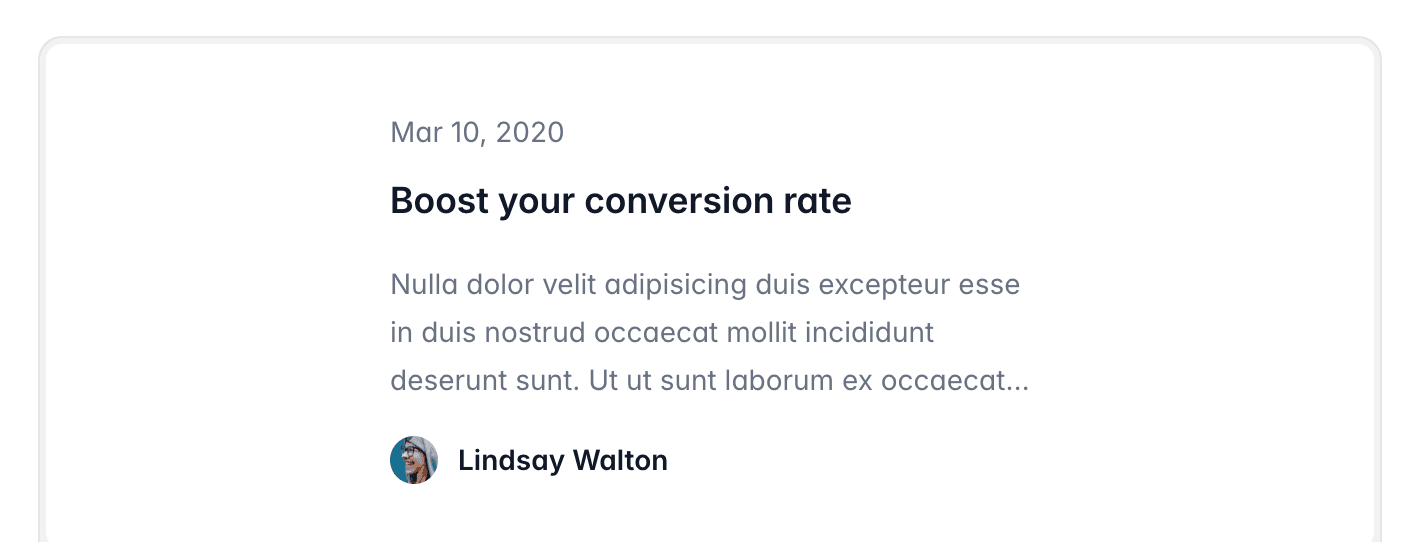
Long text can easily break your layout or push important content out of view.
Instead of writing custom CSS for truncation, Tailwind gives you the line-clamp utility out of the box,
which will truncate the text to a given number of lines and replace the rest with an ellipsis.
<p className="line-clamp-2">
  This is a very long paragraph that will be truncated after two lines. The rest
  of the content will not be displayed but replaced with an ellipsis.
</p>line-clamp-1→ truncates after one lineline-clamp-2→ truncates after two linesline-clamp-3→ truncates after three lines, and so on
This is perfect for previews (like blog post cards or product descriptions) where you only want to show a snippet.
More Dev Tips
Discover more tips and tricks to level up your development skills
Start your scalable and production-ready SaaS today
Save endless hours of development time and focus on what's important for your customers with our SaaS starter kits for Next.js, Nuxt 3, and TanStack Start